System Separation · Enterprise product architecture
From one platform to three independent products
How I helped Israel Electric Corporation give three mission-critical systems distinct entry points, focused navigation, and control over their own permissions.
- Client
- Israel Electric Corporation (IEC)
- Role
- Product & UX Lead
- Scope
- User research, UX architecture, prototyping, stakeholder alignment & design through launch
- Status
- Shipped · In use
01
One menu was doing the work of three products
At Israel Electric Corporation, thousands of employees relied on a central platform for routine operations, emergency response, and large-scale drills. Over time, it also became the administration hub for two field products. Three groups with different responsibilities were now working through the same navigation, even though they needed different tools to do their jobs.
We held 6 in-depth interviews with managers holding permissions across fault management, field operations, and small repairs. We also observed tasks and reviewed system analytics. In the workflows we studied, users spent an average of more than 30 seconds navigating to a task. Field technicians sometimes opened the wrong module, and users with broader permissions had more sections to sort through.
The permissions model controlled which menu items people could see. The menu itself still mixed three kinds of work, making it difficult to tell where one product ended and another began.
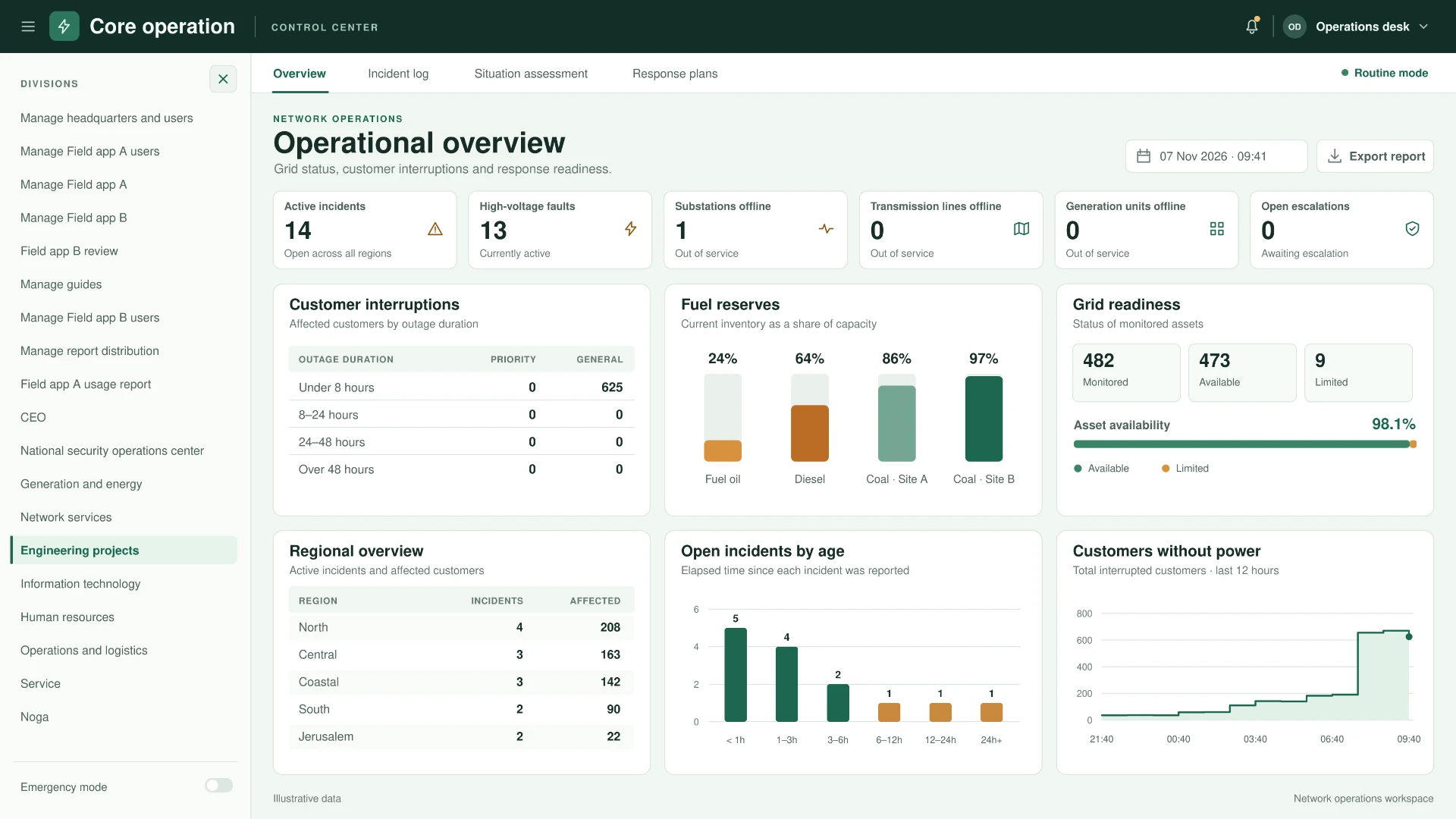
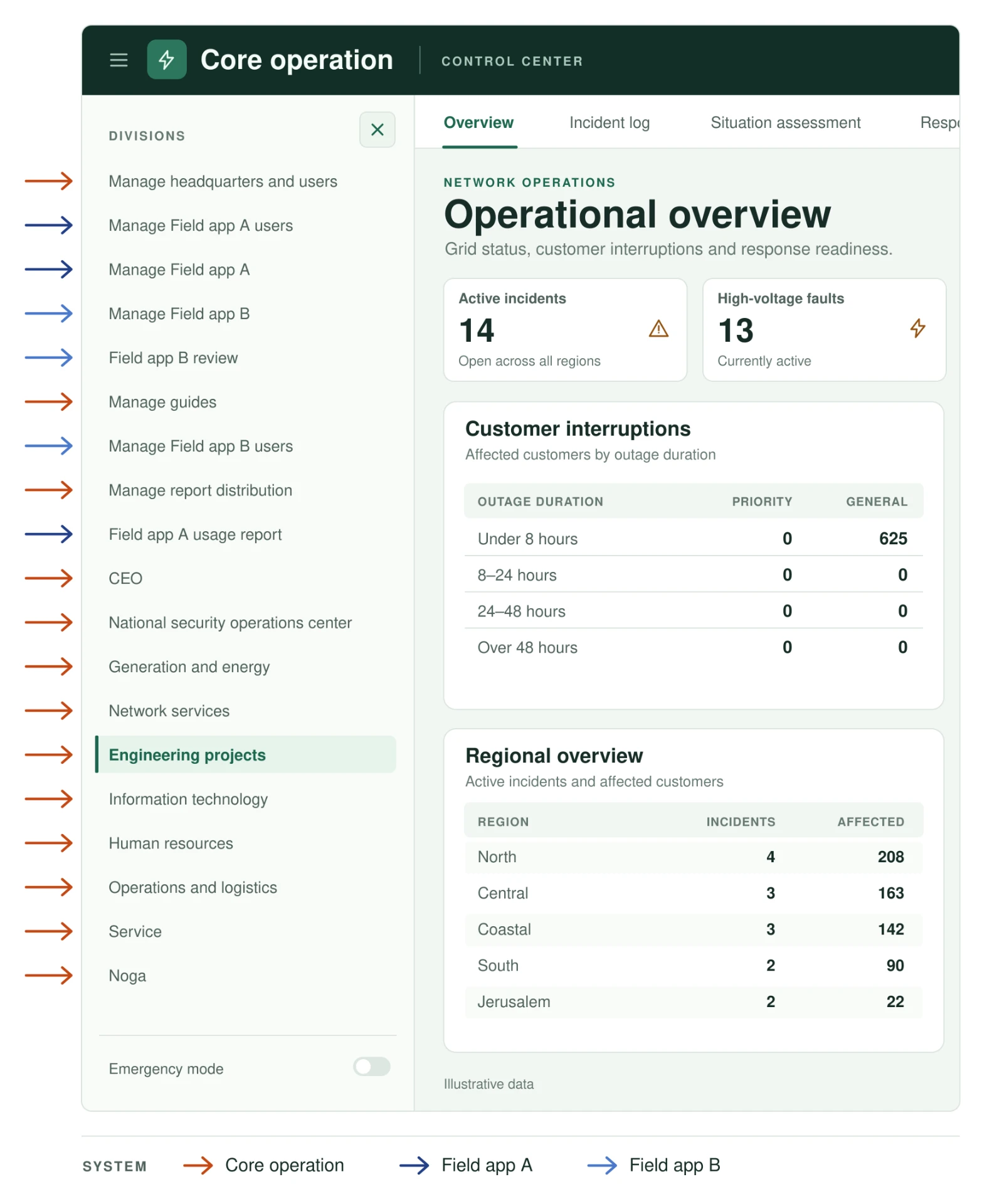
Three domains · one menu
02
The client wanted one login. I proposed three entry points.
The client wanted employees to sign in once and then choose a system from a shared portal. Only products they had permission to use would appear. This gave the organization one familiar place to send everyone.
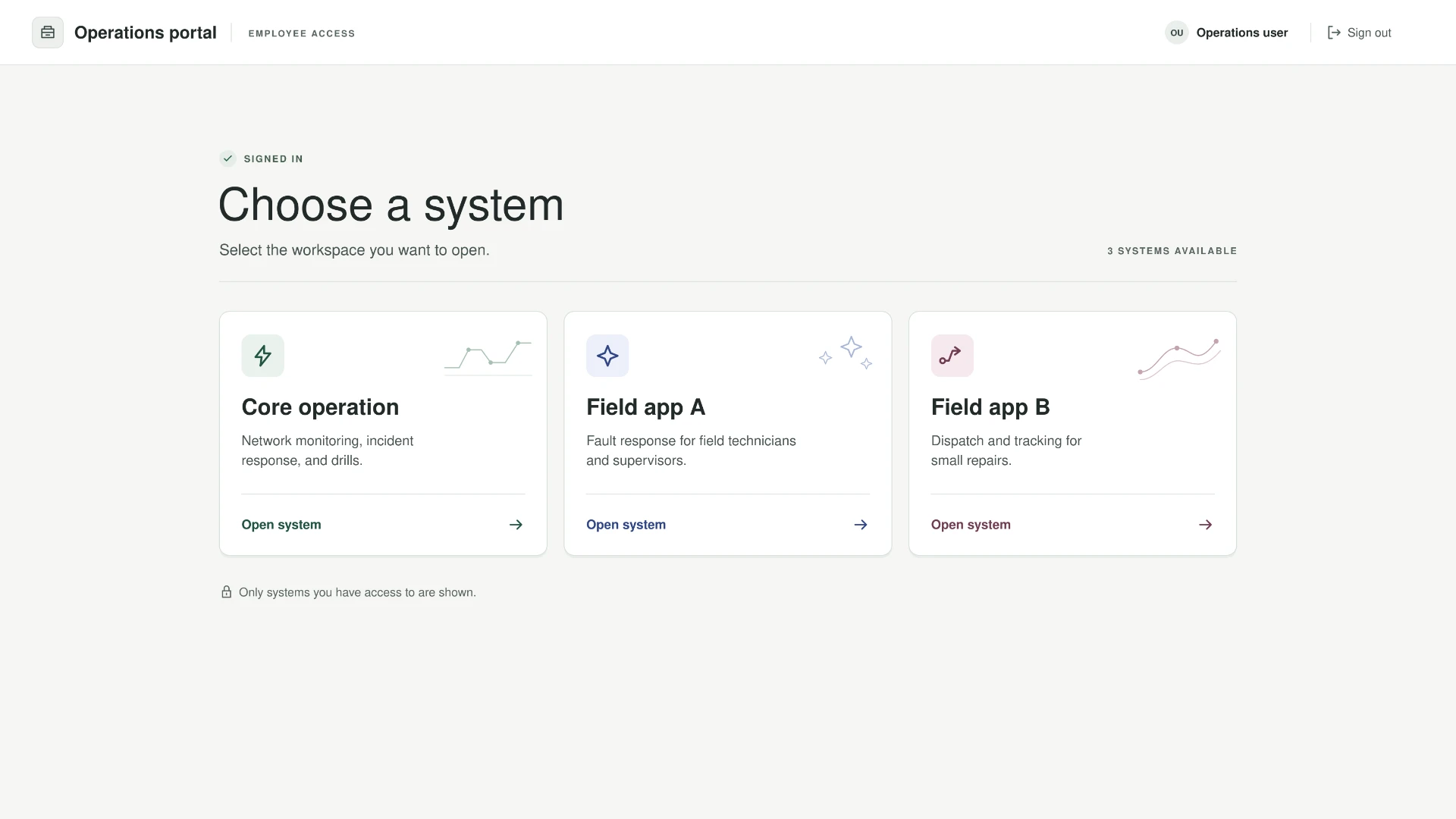
Why I challenged the shared gateway
User experience · a choice without a choice
For a field technician with access to only one product, the selector adds a step without offering a real choice. Having to select the only available system at every sign-in is unnecessary and can make the journey confusing. I proposed a dedicated URL and sign-in for each product, taking users straight to the environment they came to use.
Product architecture · independent releases
The separation also needed to go beyond the entry screen. Each product should be able to receive updates and release a new version without waiting for a new version of the monolith. This was a separate architectural reason for full separation: independent product release cycles, not just different URLs.
Filtering access is not the same as defining product boundaries.
03
I showed what each option meant in practice
I built two prototypes and walked the client through the same tasks as two types of users. One had access to a single product. The other worked across all three. Seeing both journeys made it easy to compare the steps each person would take and when they would know they were in the right system.
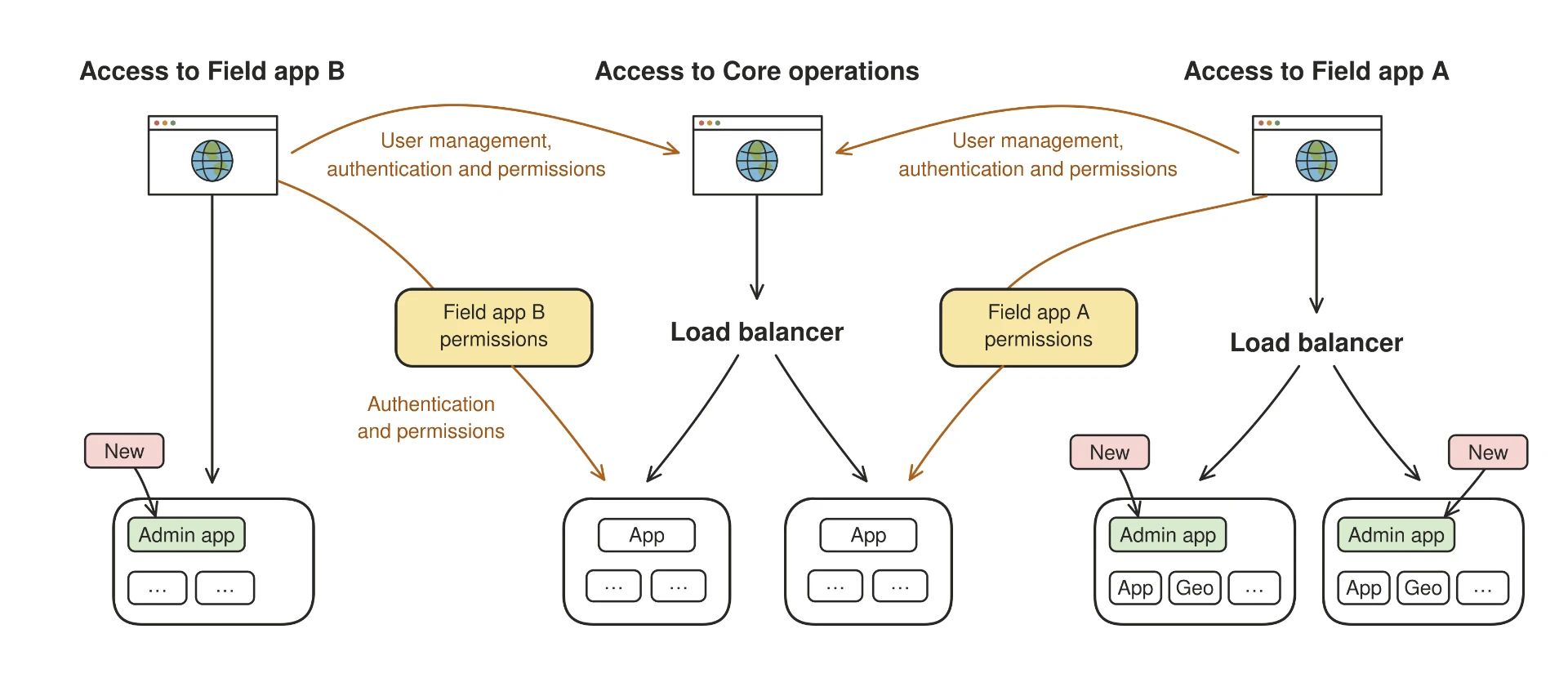
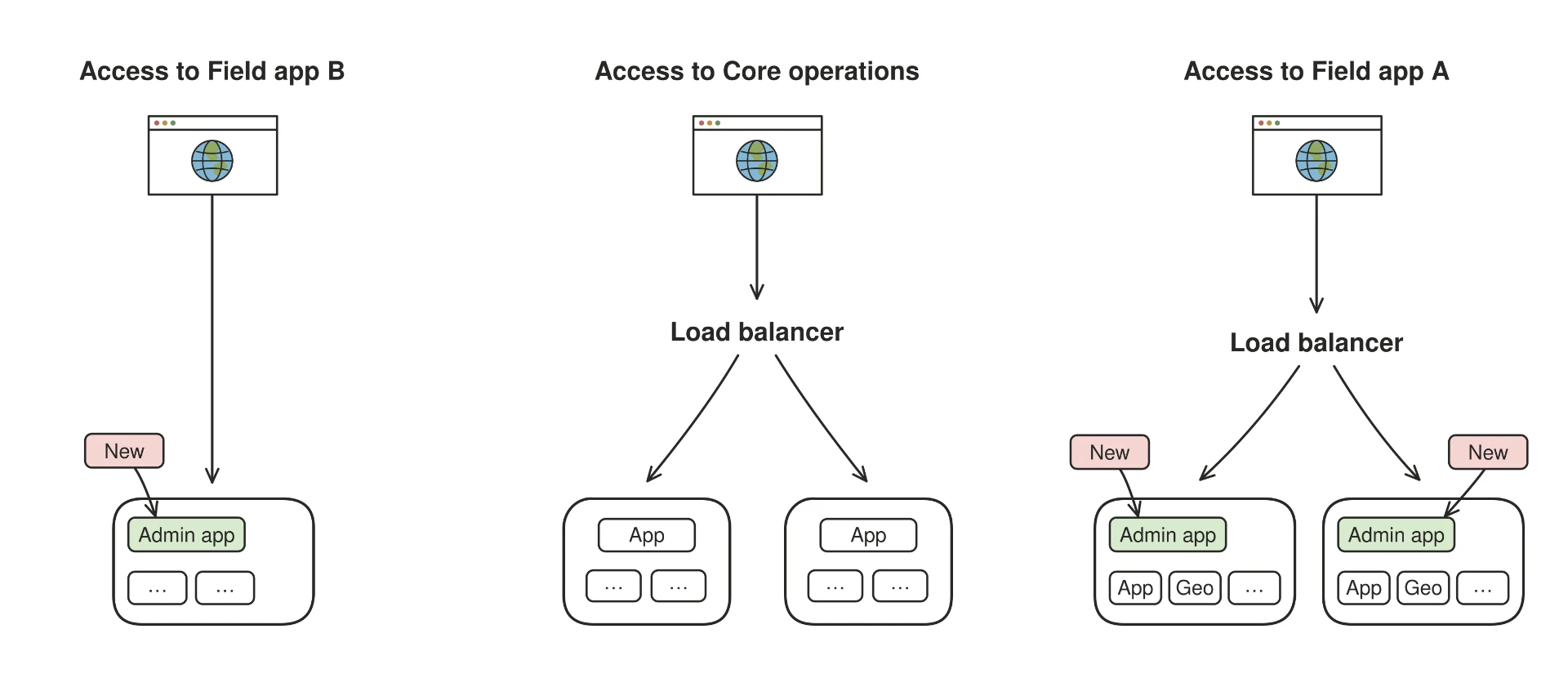
I used a separate architecture comparison to show what each permissions model would mean for administrators. Even with dedicated product entry points, the field apps could still depend on Core operations for access management. Full separation would give each product its own place to manage users, roles, and permissions. After seeing both the user journeys and the administration models, the client chose full separation.
| Dimension | Shared portalClient’s initial request | Full separationMy proposal · selected |
|---|---|---|
| User journey | Shared portalUnified gateway; an extra selection screen on every sign-in. | Full separation · selectedDirect access - immediate entry, no intermediate screens. |
| Release cycle | Shared portalEvery update waits for the monolith’s release cadence. | Full separation · selectedIndependent releases - each product ships on its own schedule. |
| Administration | Shared portalUsers and permissions managed in Core; cross-team dependency. | Full separation · selectedLocal control - each product manages its own users and roles. |
01 · Current state
One entry, admin code inside Core operations
All systems shared client-side code. Admin for both field apps lived on the core platform's servers.
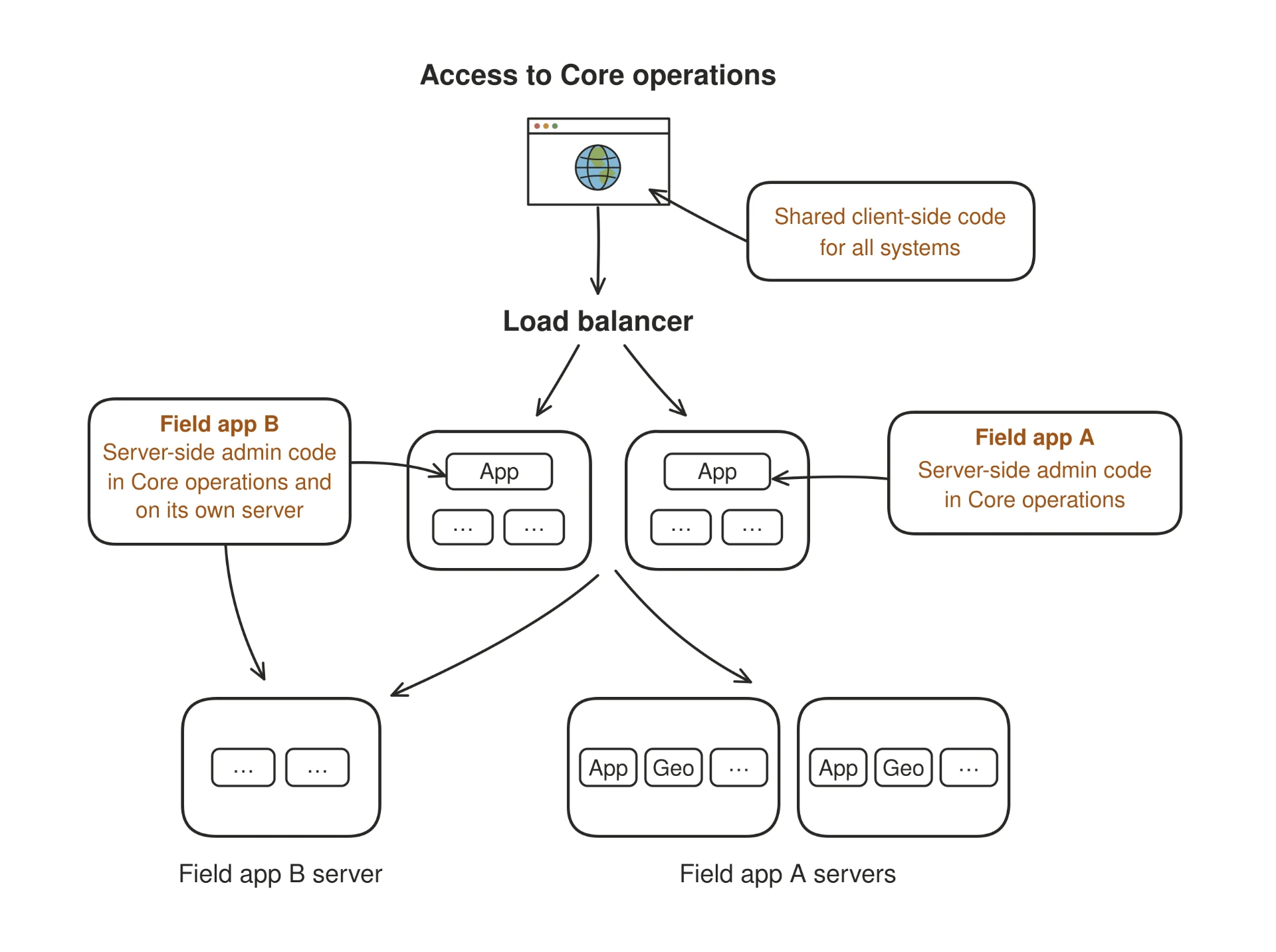
02 · Option · Centralized permissions
Separate entries, but access still runs through Core
Each product gets its own entry, yet user management, authentication and permissions remain dependent on Core operations.
03 · My proposal · Full separation
SelectedThree independent products
Each product has its own entry, servers and admin app - no cross-dependencies for users, roles or permissions.
04
Implementing the solution
The core platform was split into three independent products, allowing each to be updated and released without depending on the monolith’s release cycle.
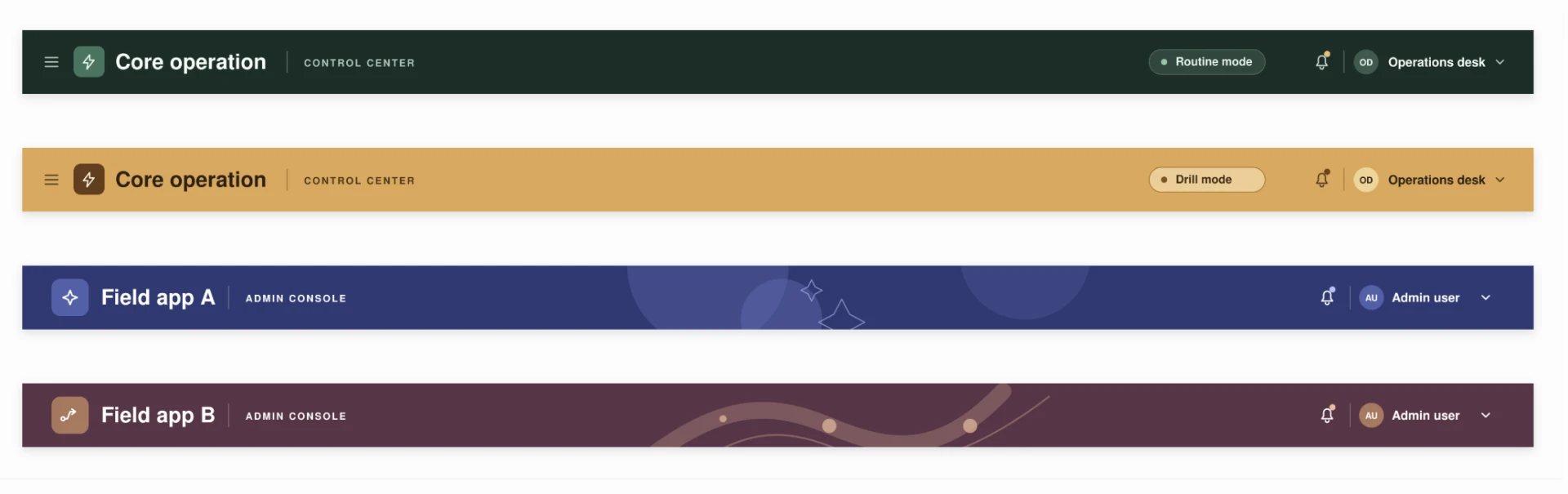
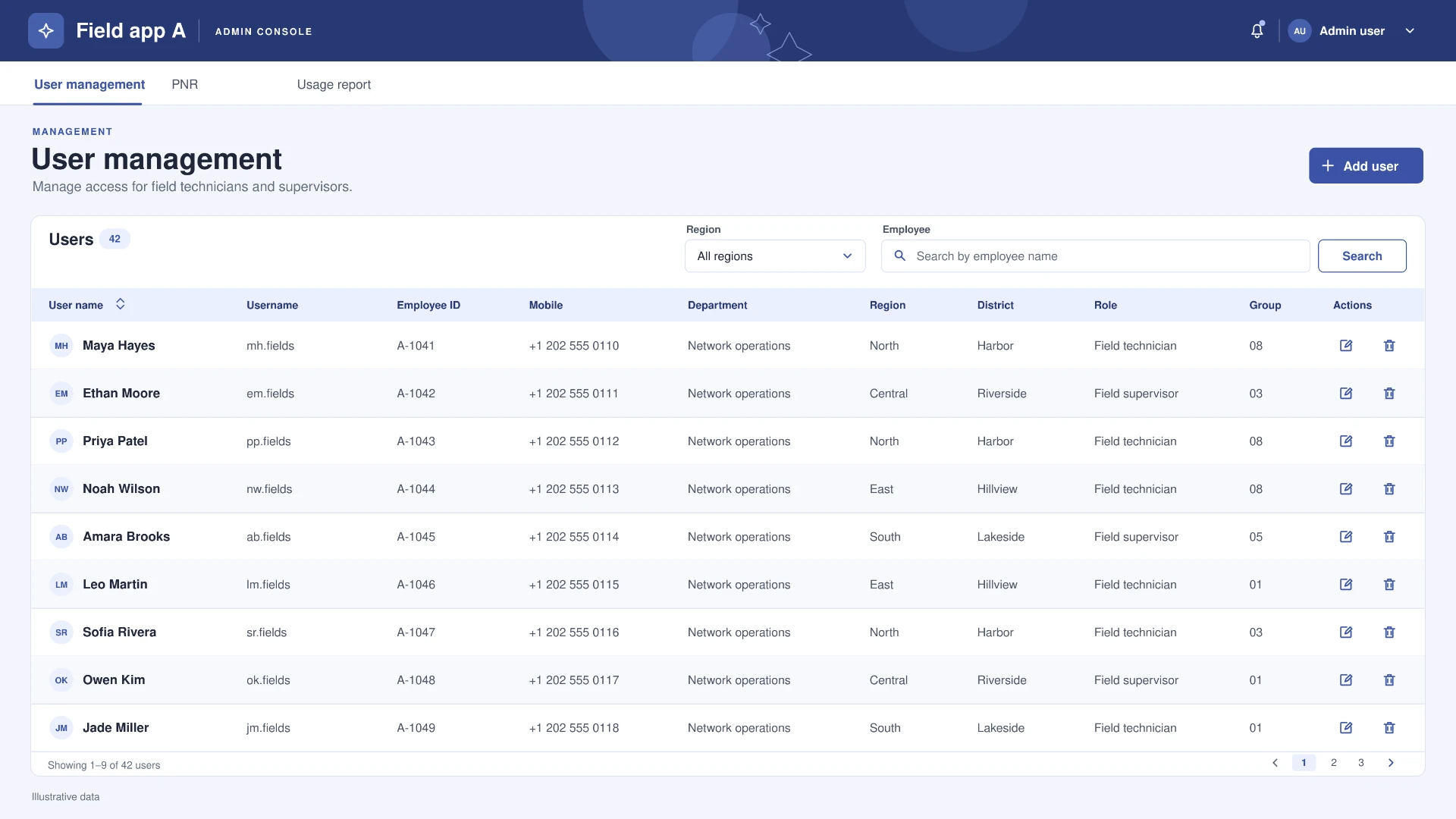
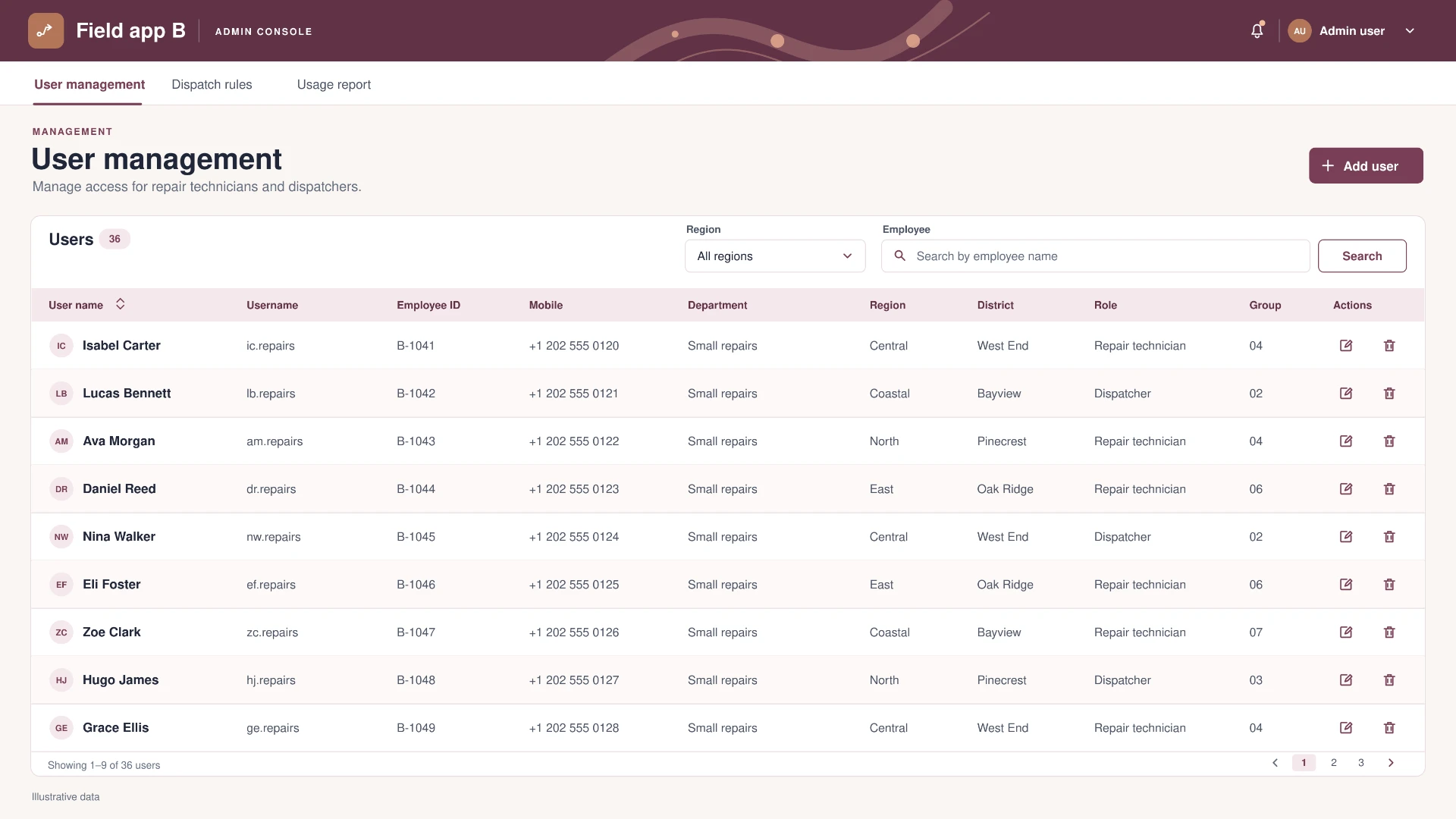
I worked with the architect, developers, and QA to carry the decision through to launch. I specified product-specific navigation and a consistent header structure, then used color, labels, and visual cues to make each environment recognizable at a glance. In Core operations, distinct headers also helped users tell live operations from drills.
Each product manages its own users, roles, and access rules through a Management button that requires its own permission.
05
Users could go straight to the system they needed
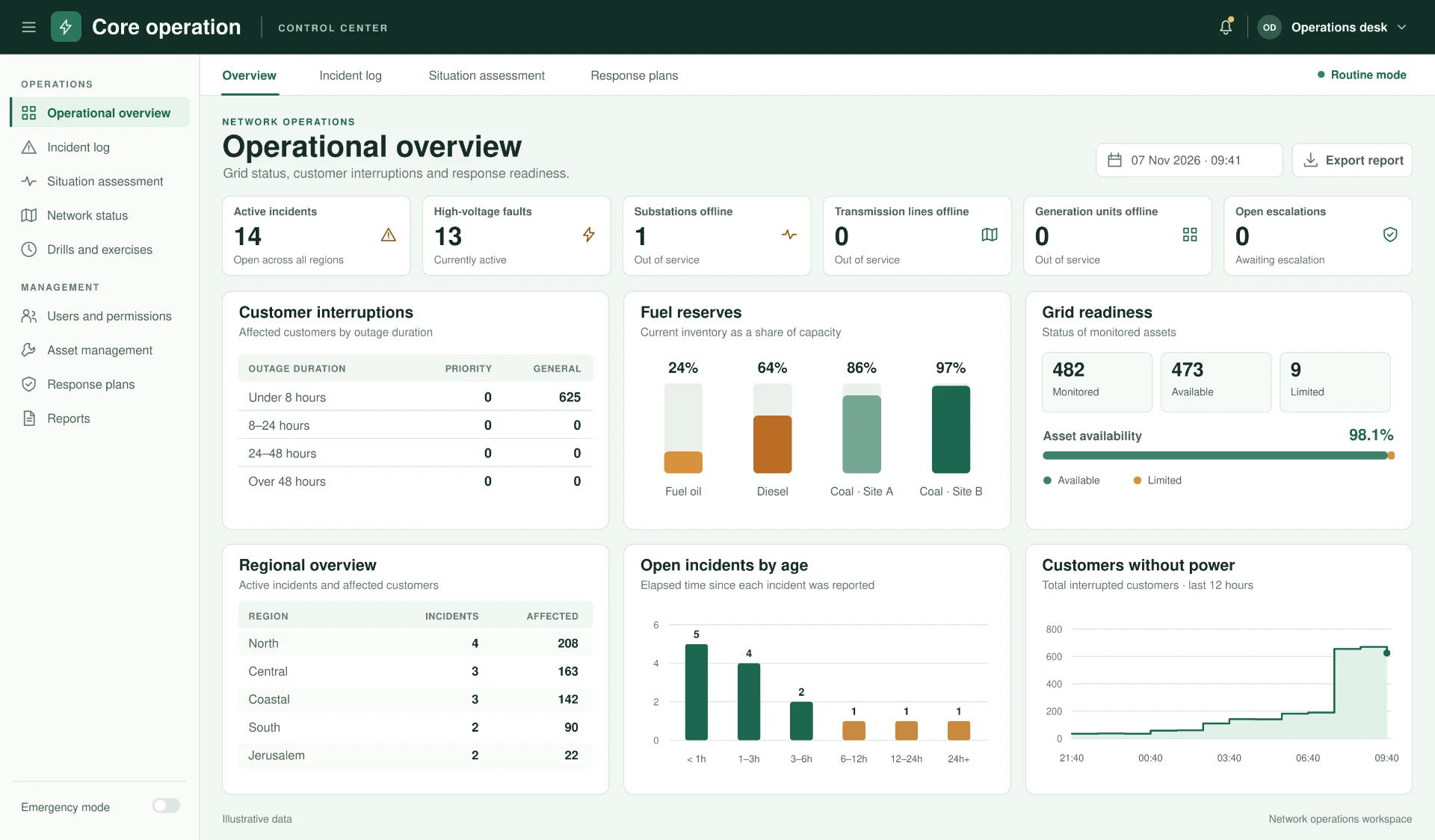
The three products are live and in use. The client reported that employees could reach the right system more easily, and that people with access to all three no longer had to sort through a crowded shared menu. The client also reported time savings and fewer internal disputes over who should have access to which system.
- Direct access
- Less navigation
- Fewer access disputes
Outcomes reflect qualitative client feedback.